
Follow these steps to pair your ONMO+ Pro Controller via Bluetooth:
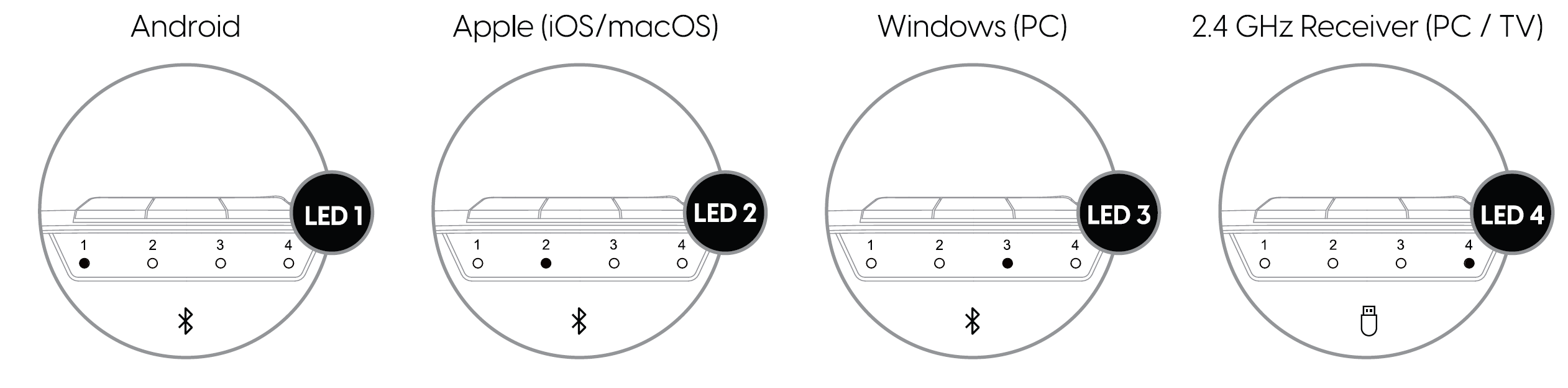
- Select the correct wireless mode: Hold the M (Mode) button for 2 seconds to cycle through modes until the desired LED lights up:
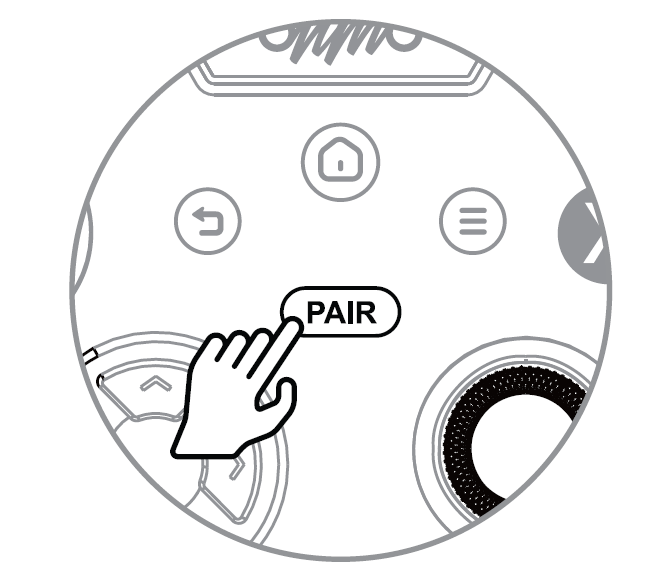
- Enter pairing mode: Hold the Pair button for 3 seconds until the LED flashes rapidly.
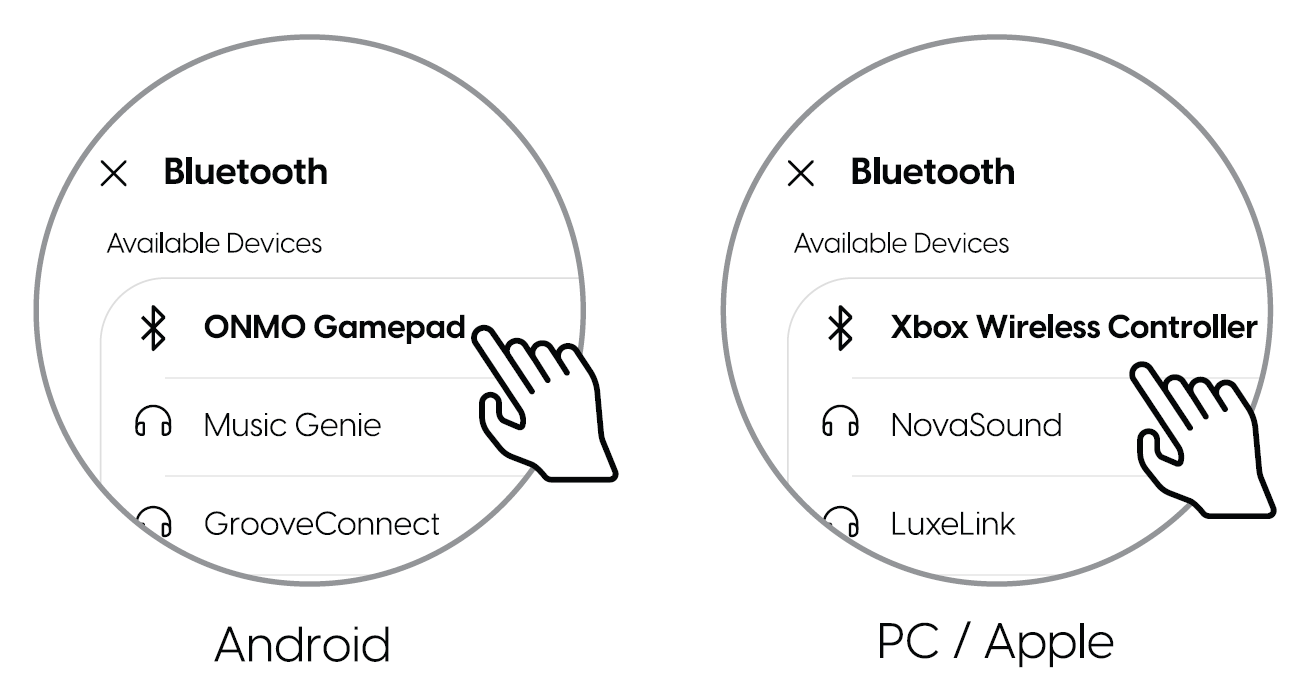
- Select on your device: Open Bluetooth settings and select the controller from the list of available devices.
- Connection confirmed: The LED turns solid and the controller vibrates once.